
 July 20, 2026
  4 mins to read
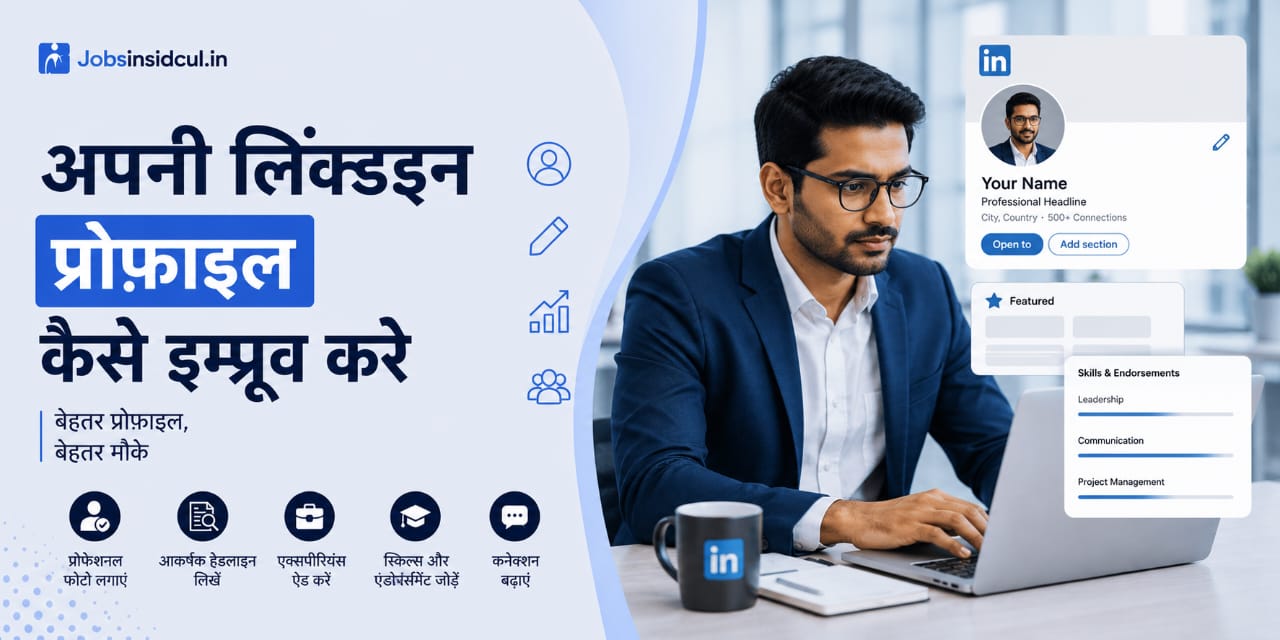
 How to Improve My LinkedIn Profile? – LinkedIn Profile को powerful कैसे बनाएं?
🔍 LinkedIn Profile क्यों जरूरी है?
✔️ Recruiters आपको search करके find करते हैं
✔️ आपकी skills और experience highlight होती है
✔️ Networking और job opportunities बढ़ती हैं
✔️ Strong profile = ज्यादा interview chances
👉 India में majority recruiters LinkedIn का use करते हैं candidates खोजने के लिए
10 powerful tips to improve your LinkedIn profile
1. Profile Photo & Background Image – पहला impression matter करता है
Profile photo: एक professional headshot लगाएं। Smile करें, proper lighting हो। Background clean हो। Avoid selfies या group photos.
Background banner: यह आपकी story बताता है। आप अपने skill set, brand logo या एक motivational quote लगा सकते हैं। Free tools जैसे Canva से design करें।
2. Headline – सिर्फ job title नहीं, value proposition लिखें
LinkedIn का default headline आपका job title होता है, लेकिन आप उसे change करके impressive headline बना सकते हैं। जैसे:
Weak: “Software Engineer at XYZ”
Strong: “Software Engineer | Java & Python Expert | Building Scalable AI Solutions | Tech Blogger”
इसमें आप अपनी skills और USP (unique selling point) दिखा सकते हैं।
3. About Section – अपनी कहानी 3-4 paragraph में बताएं यह section आपका elevator pitch है। इसमें आप कौन हैं? कैसे problem solve करते हैं? क्या achievements हैं? क्या goals हैं?
Tips: Emojis use करें, but had में। Bullet points का इस्तेमाल करें readability के लिए। Keywords भी include करें जो recruiters search करते हैं (e.g., “digital marketing”, “data analysis”).
4. Experience Section – सिर्फ job description नहीं, results लिखें हर role के लिए क्या responsibility थी?क्या result आया? (quantify करें: “increased sales by 30%”, “managed team of 10”)
Relevant keywords use करें
जैसे: “Led a cross-functional team to launch a new product, resulting in 50% revenue growth within 6 months.”
5. Skills Section – Relevant और trending skills add करें
LinkedIn आपको maximum 50 skills allow करता है। Choose करें:
आपके field के top skills
Current trends (AI, Cloud, Agile, etc.)
Recruiters क्या search करते हैं
Endorsements भी important हैं – अपने connections से request करें कि आपकी skills endorse करें।
6. Recommendations – Social proof का powerful tool
किसी senior, manager या client से recommend करवाएं। यह आपकी credibility बढ़ाता है। आप खुद भी दूसरों को recommend करें – reciprocation से आपको भी मिलेगा।
7. Featured Section – अपना best work showcase करें
LinkedIn का Featured section आपके top posts, articles, projects या media files दिखाने के लिए है। यहां आप:
Blog posts या articles
YouTube video
Portfolio link
Certificate of achievement
Press mentions
Add करें। यह आपको visually appealing बनाता है।
8. Education & Certifications – Continuous learning दिखाएं
सिर्फ degree नहीं, online courses भी add करें (Coursera, Udemy, Google, Microsoft)। Recruiters देखते हैं कि आप learning में interested हैं।
9. Activity & Content – Regularly active रहें
सिर्फ profile set करके बैठना काम नहीं करेगा। आपको:
Daily posts share करें (industry insights, tips, achievements)
Comment करें influential people के posts पर
Engage करें relevant groups में
Share करें articles जो आपको inspire करते हैं
LinkedIn algorithm active users को priority देता है।
10. Customize Your LinkedIn URL
Default URL अजीब होता है (linkedin.com/in/abc123xyz)। उसे change करें: linkedin.com/in/yourname (या yourprofession)। यह professional लगता है और Google search में better rank होता है।
Settings से: “Edit public profile & URL” में जाकर customize करें।
Common mistakes to avoid on LinkedIn
Incomplete profile: Photo नहीं, summary नहीं, skills नहीं – recruiters skip कर देते हैं।
Fake information: झूठ लिखने से reputation खराब हो सकती है।
Spamming messages: Directly job मांगना या service बेचना अच्छा नहीं लगता।
Irrelevant content: Personal drama, politics, controversial posts से बचें।
Old experience update नहीं करना: पुराना काम दिखाता है तो लगता है आप active नहीं हैं।
अक्सर पूछे जाने वाले प्रश्न (FAQ)
Q1. LinkedIn profile कितनी बार update करना चाहिए?
Answer: Whenever you have a new role, skill, certification, or achievement. Ideally, हर 3-6 महीने में एक बार review करें। अगर regular posts करते हैं, तो engagement के हिसाब से adjust करें।
Q2.क्या LinkedIn पर personal photo डालनी चाहिए या professional?
Answer:Professional photo is mandatory. A blurry selfie या vacation photo आपकी credibility गिराता है। Companies prefer neat formal appearance.
Q3.Skills section में कितनी skills रखनी चाहिए?
Answer: 10-15 relevant skills काफी हैं। Quality over quantity. Recruiters top skills पर filter करते हैं।
Q4. क्या LinkedIn premium लेना ज़रूरी है?
Answer: नहीं। Free version भी काम करता है। Premium extra features देता है जैसे InMail, profile views details – लेकिन beginners के लिए free version काफी है।
Q5.LinkedIn पर ghost followers से क्या problem है?
Answer: Ghost followers (fake profiles) आपकी engagement stats पर negative effect डालते हैं। उन्हें block या remove करें। Genuine connections ही रखें।
Q6. LinkedIn पर spam message से कैसे बचें?
Answer:अपनी privacy settings में “Message filtering” on करें। Unwanted connections से block करें। कोई suspicious link न खोलें।
Q7. क्या LinkedIn groups join करने चाहिए?
Answer: हाँ। अपने industry के groups join करके discussions में participate करें। इससे आपकी visibility बढ़ती है और networking strong होती है।
Q8. LinkedIn profile improve करने में कितना time लगता है?
Answer:Basic optimization 1–2 दिन में हो जाता है, लेकिन growth continuous process है।
Q9. क्या LinkedIn से job मिल सकती है?
Answer: हाँ, strong profile होने पर recruiters खुद contact करते हैं।
Q10. कितने skills add करने चाहिए?
Answer:10–20 relevant skills best रहते हैं।
Q11. Freshers LinkedIn कैसे improve करें?
Answer:Projects, certifications और skills पर focus करें।
Q11. क्या daily post करना जरूरी है?
Answer:जरूरी नहीं, लेकिन regular activity से visibility बढ़ती है।